Waydroid on Parch Linux
How to run android apps in Parch?
Waydroid
Waydroid is a container-based approach to boot a full Android system on a regular GNU/Linux system.
Installation
In Parch Linux there is a script called waydroid-helperPPR which can be used to install waydroid with a non-gapps image (an android image without google apps such as play store ) on Parch Linux.
For start you need to install the Script from Parch Packages Repository:
sudo pacman -S waydroid-helper
Checking system requirements
To check whether if your system is compatible with waydroid, you need to run waydroid-checker script.
waydroid-checker
After running it you will be prompted with this screen:
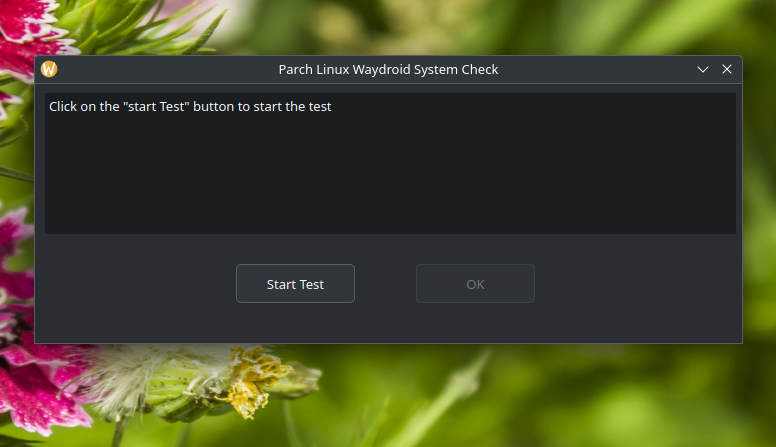
Click on Start Test to begin.
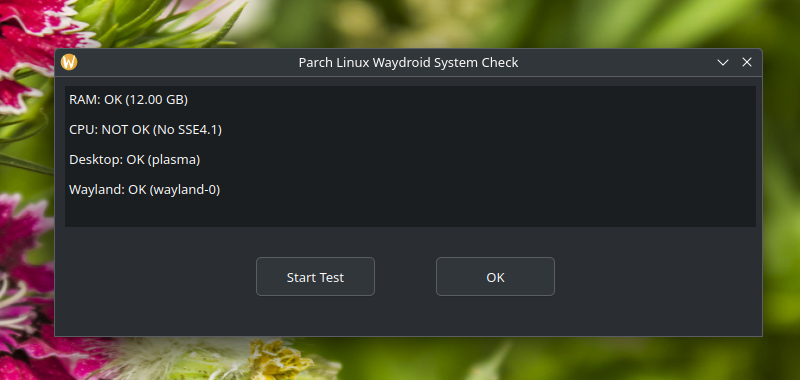
After the test is finished, if your CPU passed you can continue with the installation
Installing Waydroid
you can run the waydroid-installer script to begin the installation:
waydroid-installer
Post Installation
After the installation is finished you should init waydroid:
sudo waydroid init
after its done, if you are on wayland you can run waydroid from your application menu.
X11
For running waydroid under X11 You need to run waydroid-x11 from terminal:
waydroid-x11
It would launch waydroid in your x11 session like XFCE, Mate etc... under weston.